PureVPN (Managed)
Kasm has partnered with PureVPN to provide a quick and easy way to gain secure access to 80+ locations across 65 countries. This "Managed" Egress Provider is a licensed feature, requiring a Kasm license to use. All gateways are owned and operated by PureVPN, with Kasm servers managing auto-population of gateways and credential configuration. To purchase the PureVPN Managed Egress license, contact a Kasm sales rep or purchase via our web checkout. You can find more details about licensing in our Licensing Guide.
Once you have the appropriate license applied to your Kasm deployment, give it a few minutes so that Kasm can verify and apply the new feature to your deployment.
Integration
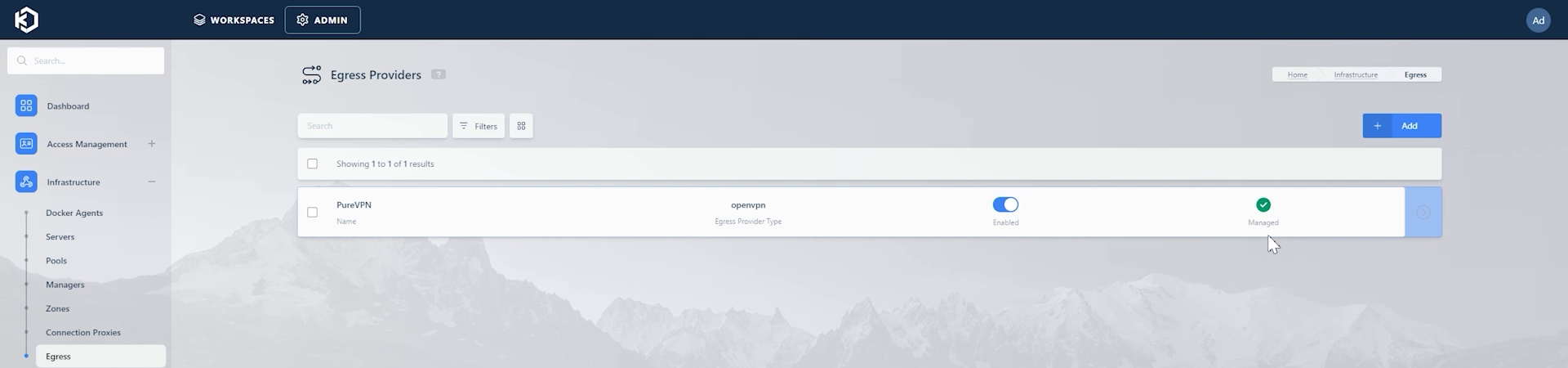
You can then go to "Infrastructure" -> "Egress" to see that the PureVPN Egress provider has now been added.
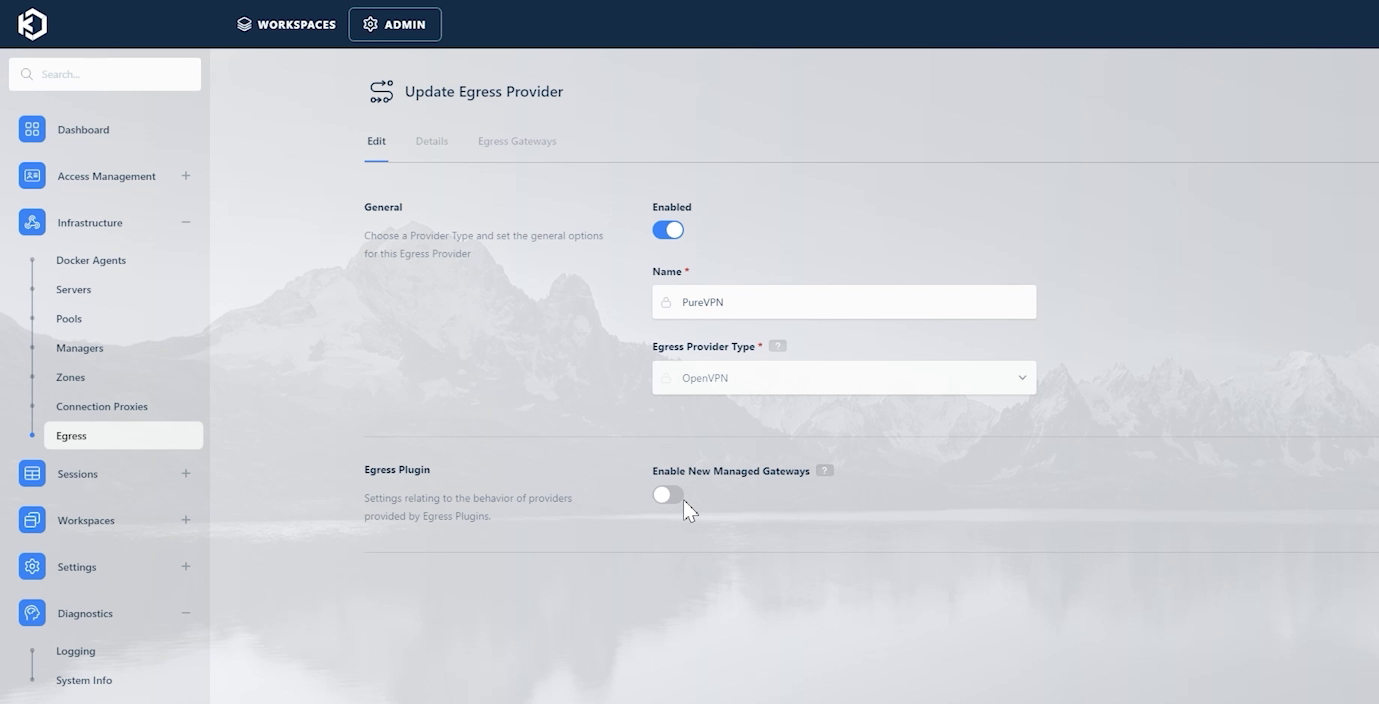
You can click "Edit" to view/configure more details about the PureVPN provider. The "Enable New Managed Gateways" option decides whether you want to automatically add and configure new gateways that might be added by PureVPN in the future.
Managed Egress Providers
Kasm allows for Licenses to be purchased that grant a number of connections to a Managed Egress Provider.
When a license that grants the use of an Managed Egress Provider is applied to the Kasm Workspaces deployment, Kasm Workspaces automatically reaches out to the Kasm Egress Plugin Service to obtain a list of Egress Accounts and Egress Providers and adds them to the Kasm Deployment.
For example the following screenshot is of the Egress Providers section on a deployment that has a License applied that grants 5 connections to the PureVPN Managed Egress Provider.
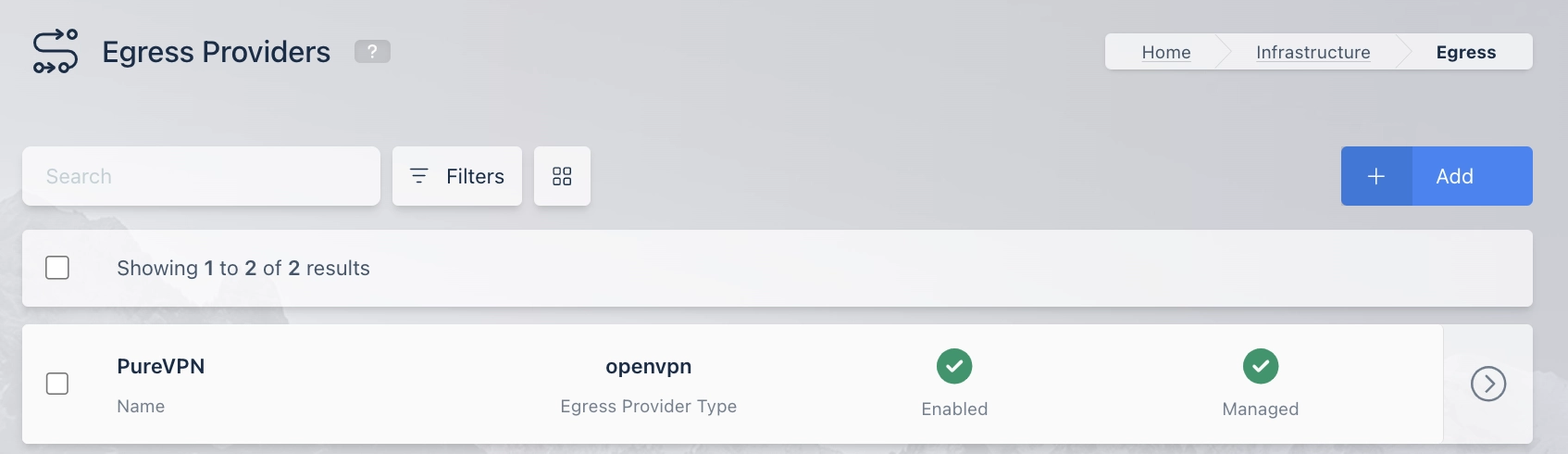
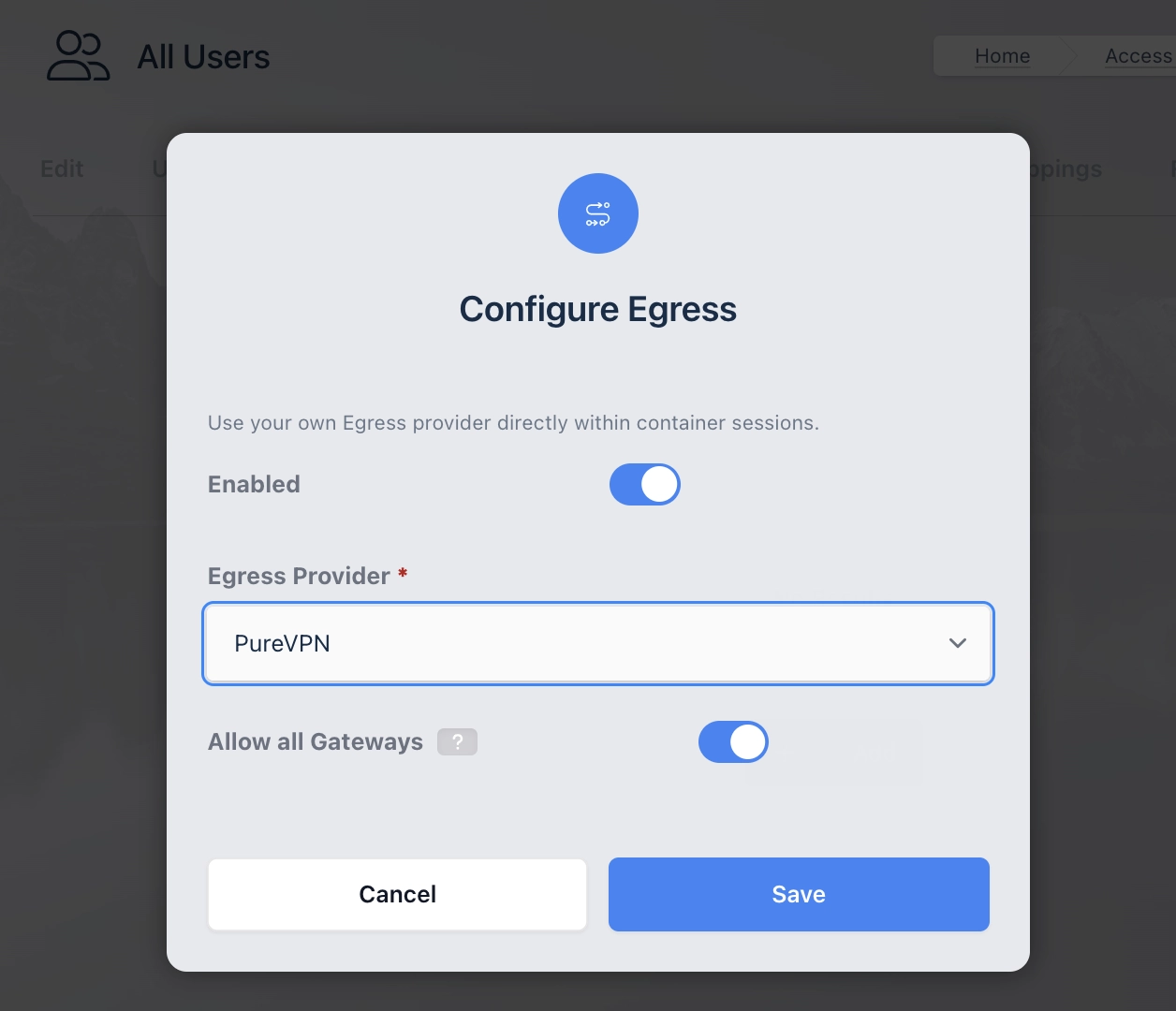
Using these Managed Egress Providers is as simple as mapping them to a User, Group, or Workspace.
Managed Egress providers do not require the creation of Egress Credentials, they only require mapping the Egress Provider to a User Group or Workspace.
Egress Plugin System Info
When a license is added that grants connections for a Managed Egress Provider, it creates a "Egress Plugins" Tab in Diagnostics->System Info, which contains summarized information
about all the Egress Plugins for all the Licenses on the Kasm Workspaces Deployment.
Listed below are the fields in the Egress Plugins table:
| Name | Description |
|---|---|
| Egress Plugin ID | The ID of the Egress Plugin. |
| Accounts | The number of Managed Egress Accounts currently provisioned on this Kasm Workspaces Deployment for this Plugin. |
| Allowed Connections | The total number of allowed connections permitted by all the licenses on the Kasm Workspaces Deployment for this Plugin |
| Remaining Connections | The number of remaining available connections for this plugin. This is based on the number of accounts provisioned on the system and the the number of Workspaces sessions currently using an Egress Connection. |
Egress Plugin License Info
Information about the Managed Egress Providers granted by an individual license can be viewed by logging into the Kasm Workspaces Admin UI
and navigating to Diagnostics->System Info->Licenses and then selecting the "View" button on an individual license and then scrolling to
the "Egress Plugins" section.
The first entry is a table containing a list of the Egress Plugins granted by the license:
| Name | Description |
|---|---|
| Egress Plugin ID | The ID of the Egress Plugin. |
| Accounts | The number of Managed Egress Accounts currently provisioned on this Kasm Workspaces Deployment for this Plugin on this License. |
| Allowed Connections | The total number of allowed connections permitted by this license on the Kasm Workspaces Deployment for this Plugin. |
| Remaining Connections | The number of remaining available connections for this Plugin on this License. This is based on the number of accounts provisioned on this system and the number of Workspaces sessions currently using an Egress connection. |
Next are a number of fields that show Egress Plugin information for the License:
| Name | Description |
|---|---|
| Is License Valid | The License validity according to the Egress Plugin Service. |
| Is Entitlement Valid | The License Entitlement validity according to the Egress Plugin Service. |
| Next Egress Plugin Check In | The next time Kasm Workspaces will attempt to query the Egress Plugin Service to update Managed Egress Accounts and Managed Egress Providers for this License. |
| Last Egress Plugin Check In | The last time this License was checked in to the Egress Plugin Service. |
Managed Egress Provider Info
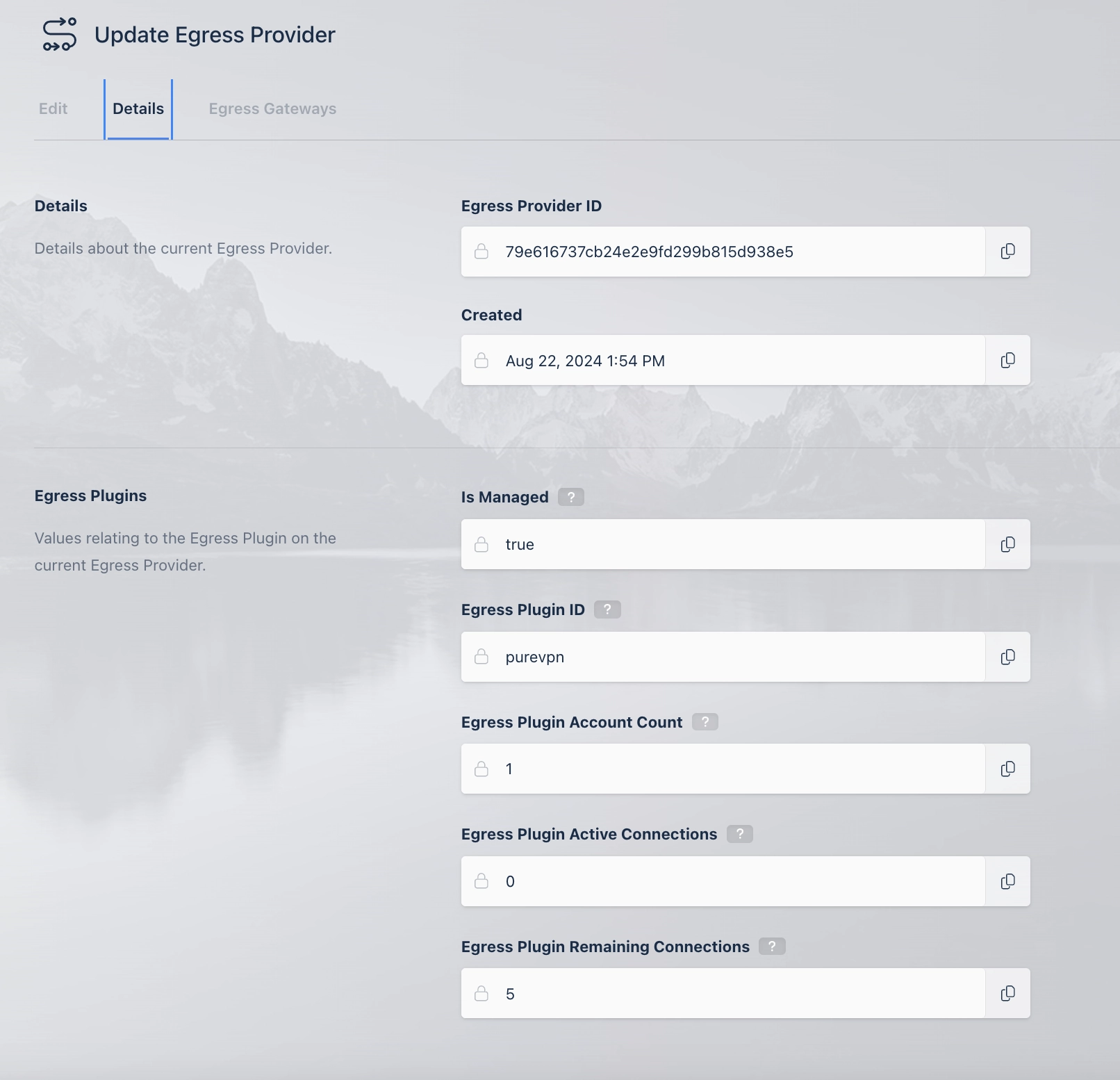
When a license is added that grants access to Managed Egress providers, additional information about the Egress Providers can be found by
logging into Kasm Administrator UI, navigating to Infrastructure->Egress and selecting Edit on a Managed Egress Provider
and then navigating to Details and then scrolling down to the Egress Plugins section.
The section contains the following:
| Name | Description |
|---|---|
| Is Managed | Wether the Egress Provider is managed by an Egress Plugin. |
| Egress Plugin ID | The ID of the Egress Plugin that Manages this Egress Provider. |
| Egress Plugin Account Count | The number of Managed Egress Accounts currently provisioned on this Kasm Workspaces Deployment for this Managed Egress Provider. |
| Egress Plugin Active Connections | The number Kasm Connections currently using this Manage Egress Provider |
| Egress Plugin Remaining Connections | The number of remaining available connections for this Managed Egress. This is based on the number of accounts provisioned on this system and the number of active connections. |