Support Bundle
The Support Bundle page in Kasm Workspaces is used to generate a diagnostic archive that can be downloaded and shared for troubleshooting. The page includes bundle generation controls, a jobs table, lifecycle state tracking, and download handling for both small and large bundle files.
What the Support Bundle page does
Administrators can use the Support Bundle page to:
- Generate a new support bundle.
- Review existing support bundle jobs.
- Track whether a bundle is queued, running, completed, or deleted.
- Download completed bundles.
- Delete bundles that are no longer needed.
Generating a support bundle
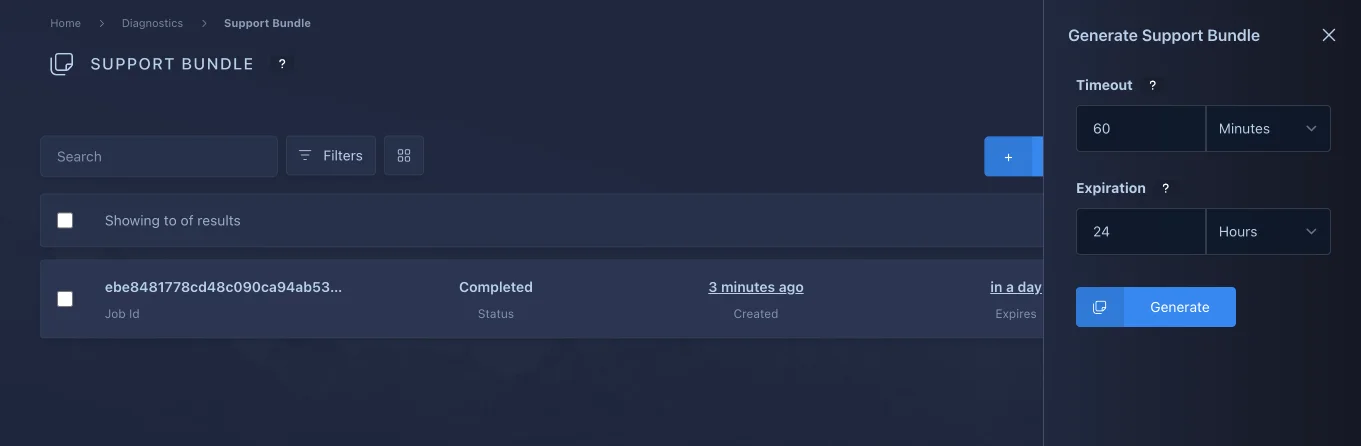
When creating a support bundle, the UI exposes three time-based options:
- Timeout: How long the job should spend collecting data before it stops.
- Expiration: How long the completed archive should remain available for download.
These values are stored in minutes in the backend, while the UI allows entering them in minutes, hours, or days where appropriate.
The contents of the support bundle will be stored in a password protected AES256 encrypted zip file. You may need to use a utility such as 7zip to decrypt the support bundle.
The password for a support bundle is exposed as a copy action on the assocated support bundle element in the UI. The password will only become available once the system has finished processing the support bundle and it transitions to the Completed state.
Job lifecycle
Support bundle jobs can move through the following states:
- Queued: The job has been requested but processing has not started yet.
- Running: Collection or processing has started but the bundle is not complete.
- Completed: The archive is ready to download.
- Deleted: The bundle has been removed and is no longer available.
The jobs table also tracks progress and expiration to make it clear whether a bundle is still active or available.
Download behavior
Completed bundles can be downloaded directly from the jobs table. Kasm chooses the safest download path based on browser capabilities and the size of the bundle returned by the API.
- Small downloads can use the browser fallback download flow.
- Large downloads are expected to stream directly to disk when supported by the browser.
Large Downloads
The Support Bundle page checks the Content-Length header returned by the download API before deciding which download path to use.
- Downloads smaller than 1 GB can use the browser fallback download path.
- Downloads 1 GB or larger require a secure browser context and support for the
showSaveFilePicker()API. - If those requirements are not available, Kasm shows a warning instead of starting a large in-memory download.
Requirements for large downloads
To download large support bundles safely, the browser must provide both of the following:
- A secure context, typically HTTPS.
- Support for the
showSaveFilePicker()API so the file can be streamed directly to disk.
Expected user experience
When the browser supports streamed downloads:
- Select Download for a completed support bundle.
- Choose a destination file in the browser save dialog.
- The browser writes the archive directly to disk instead of buffering the entire file in memory.
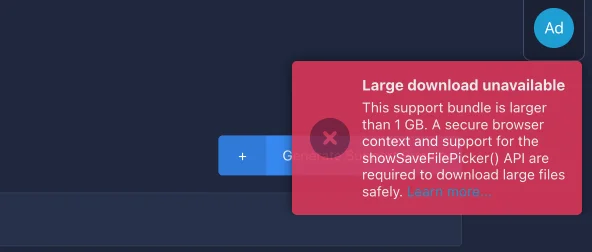
When the browser does not support streamed downloads and the archive is 1 GB or larger:
- Select Download for a completed support bundle.
- Kasm shows a warning notification explaining that a secure context and
showSaveFilePicker()support are required. - Retry the download from a supported browser or environment.
Large support bundle files should not be downloaded through a browser fallback path that buffers the full archive in memory. That approach can fail or degrade the browser for multi-gigabyte files.
Troubleshooting
If the large download warning is shown unexpectedly:
- Confirm the site is loaded over HTTPS.
- Check for a secure context.
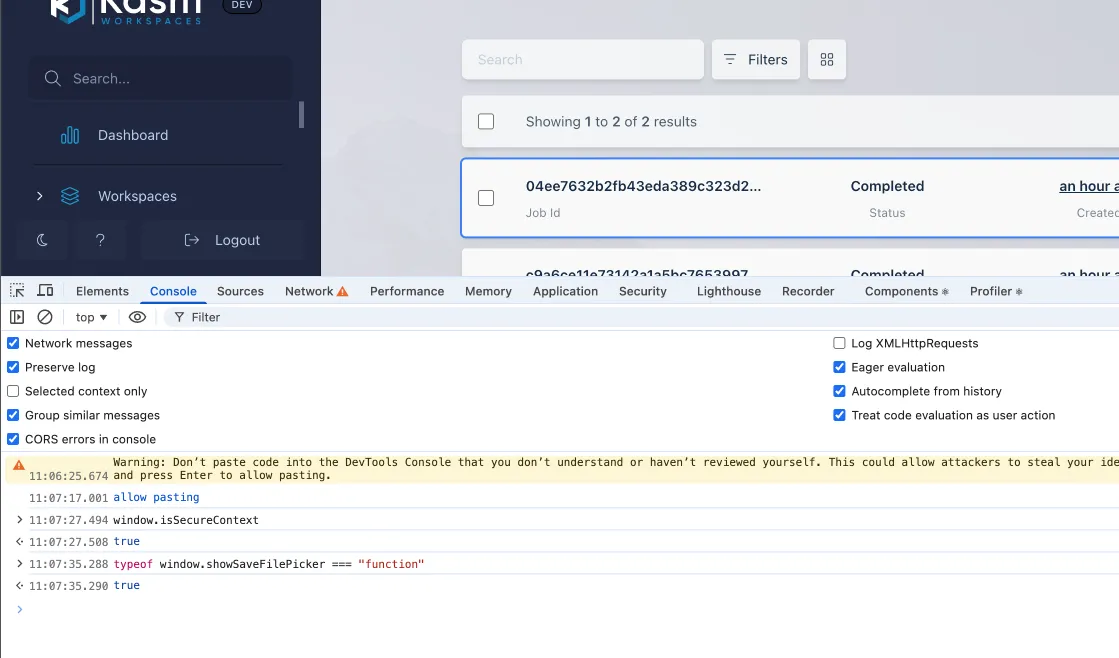
- Type
window.isSecureContextin the browser console.
- Type
- Check whether
window.showSaveFilePickeris available.- Type
typeof window.showSaveFilePicker === "function"in the browser console. - Some browsers, like Brave, have the functionality but disable it by default. Check your browser's documentation to see if the feature is available and how to enable it.
- Type
- Retry in a browser that supports the File System Access API.