Egress Operations and Troubleshooting
This page covers runtime implementation details and operational checks that apply to egress deployments.
Runtime Implementation
Kasm egress relies on a Docker network plugin to manage session networking, including interface setup, routing rules, and provider-specific tunnel handling.
Primary logs:
/var/log/kasm-sidecar/network_sidecar.log: network setup, tunnel behavior, policy/routing actions./var/log/kasm-sidecar/plugin.log: Docker engine interactions made by the sidecar plugin.
Plugin runtime files are written under:
/var/run/kasm-sidecar/$container_namespace
A quick way to retrieve a container namespace:
docker inspect -f '{{.NetworkSettings.SandboxKey}}' $container_name | grep -o -E "[a-h0-9]+$"
Environment Variables
When egress is enabled for a session, Kasm can expose these variables in the container:
KASM_EGRESS_GATEWAY_NAME
KASM_EGRESS_GATEWAY_CITY
KASM_EGRESS_GATEWAY_COUNTRY
KASM_EGRESS_PROVIDER_NAME
Example:
KASM_EGRESS_PROVIDER_NAME=PureVPN
KASM_EGRESS_GATEWAY_NAME=AU-MELBOURNE-31
KASM_EGRESS_GATEWAY_COUNTRY=AU
KASM_EGRESS_GATEWAY_CITY=Melbourne
To disable exposure, set EXPOSE_EGRESS_ENVIRONMENT_VARS=0 in Docker Run Config:
{
  "environment": {
    "EXPOSE_EGRESS_ENVIRONMENT_VARS": "0"
  }
}
Troubleshooting Flow
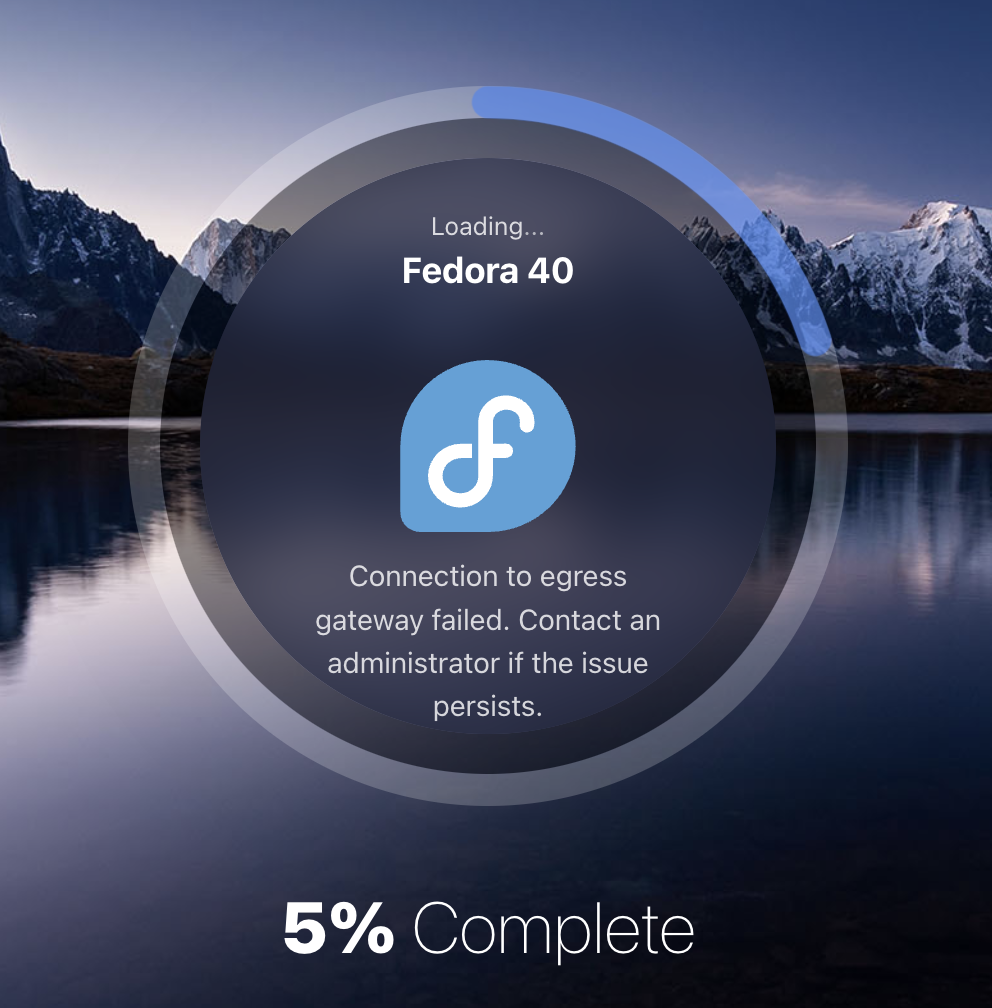
If a session cannot connect to an egress provider, users are shown an error in the launch flow.
Use this checklist:
- Verify plugin health with
docker plugin ls. - Review
/var/log/kasm-sidecar/network_sidecar.logfor setup and connection errors. - Validate provider config files under
/var/run/kasm-sidecar/$container_namespace/$vpn(for example,.../wg/wg.conf). - Confirm
kasm_proxyis attached to the sidecar network bridge viadocker exec -it kasm_proxy ip a. The interface name should follow the patternk-p-p-*. - Validate session routes with
docker exec -it kasm_proxy ip routeand verify traffic leaves on the plugin interface.
default via 172.20.0.1 dev k-p-1389f8
172.20.0.0/16 dev k-p-1389f8 proto kernel scope link src 172.20.0.3
- Confirm hostname resolution for
KASM_API_HOSTby inspecting containerenvand/etc/hosts.
> docker exec -it $CONTAINER_NAME env | grep KASM_API_HOST
KASM_API_HOST=proxy

> docker exec -it $CONTAINER_NAME cat /etc/hosts
fe00::0     ip6-localnet
ff00::0     ip6-mcastprefix
ff02::1     ip6-allnodes
ff02::2     ip6-allrouters
172.20.0.2  proxy
172.20.0.3  505c32d766d9
- Inspect namespace
iptablesrules withnsenter --net=$container_namespace iptables -L -v -n.
Example route output:
Chain INPUT (policy ACCEPT 0 packets, 0 bytes)
pkts    bytes   target     prot opt in          out     source               destination
897     131K    ACCEPT     0    --  k-p-1389f8  *       172.20.0.2           0.0.0.0/0 # <-- kasm_proxy IP address
20581   4534K   ACCEPT     0    --  lo          *       0.0.0.0/0            0.0.0.0/0
0       0       ACCEPT     0    --  tun0        *       0.0.0.0/0            0.0.0.0/0
25      7620    ACCEPT     0    --  wg          *       0.0.0.0/0            0.0.0.0/0
0       0       ACCEPT     0    --  *           *       172.20.0.0/16        0.0.0.0/0 # <-- kasm_sidecar_network IP range
28      9644    ACCEPT     0    --  *           *       XXX.XXX.XX.XX        0.0.0.0/0 # <-- VPN server IP

Chain OUTPUT (policy ACCEPT 0 packets, 0 bytes)
pkts    bytes   target     prot opt in     out     source               destination
78      16678   ACCEPT     6    --  *      k-p-1389f8   0.0.0.0/0            172.20.0.2           tcp dpt:443 # <-- kasm_proxy IP address
20581   4534K   ACCEPT     0    --  *      lo           0.0.0.0/0            0.0.0.0/0
0       0       ACCEPT     0    --  *      tun0         0.0.0.0/0            0.0.0.0/0
27      2340    ACCEPT     0    --  *      wg           0.0.0.0/0            0.0.0.0/0
1125    4567K   ACCEPT     0    --  *      *            0.0.0.0/0            172.20.0.0/16 # <-- kasm_sidecar_network IP range
29      4464    ACCEPT     0    --  *      *            0.0.0.0/0            XXX.XXX.XX.XX # <-- VPN server IP
Restarting The Network Plugin
In case of issues not caused by a VPN misconfiguration (as described by steps 4-8), the following script can be used to restart the plugin:
Ensure no active workspaces using egress are running on the target agent before restarting the plugin.
# disconnect kasm_proxy from the plugin network
plugin_name=$(docker network inspect kasm_sidecar_network --format '{{.Driver}}')
docker network disconnect kasm_sidecar_network kasm_proxy

# restart the plugin
docker network rm kasm_sidecar_network
docker plugin disable $plugin_name
docker plugin enable $plugin_name

# reconnect kasm_proxy to the plugin network
docker network create -d $plugin_name kasm_sidecar_network
docker network connect kasm_sidecar_network kasm_proxy
Some VPN Providers such as Private Internet Access may use configurations that are not supported by the latest package versions used by the Kasm Network Plugin. This may result in connections failing or timing out. See this OpenSSL GitHub issue for more details.
Upgrading The Network Plugin
Occasionally Docker or dependency changes require plugin upgrades.
Ensure no active workspaces using egress are running on the target agent before performing this upgrade.
# disconnect kasm_proxy from the plugin network
plugin_name=$(docker network inspect kasm_sidecar_network --format '{{.Driver}}')
plugin_reference=$(docker plugin inspect $plugin_name --format '{{.PluginReference}}')
docker network disconnect kasm_sidecar_network kasm_proxy

# upgrade the plugin
docker network rm kasm_sidecar_network
docker plugin disable $plugin_name
docker plugin rm $plugin_name
docker plugin install --alias $plugin_name --grant-all-permissions $plugin_reference

# reconnect kasm_proxy to the plugin network
docker network create -d $plugin_name kasm_sidecar_network
docker network connect kasm_sidecar_network kasm_proxy
Forensics and Geolocation
Egress gateways can support forensic and location-sensitive workflows, but they are not a complete attribution solution by themselves.
Key considerations:
- VPN egress IP alone may not satisfy a full forensic profile. Browser locale, timezone, and profile-level settings can still expose mismatches.
- Geolocation databases vary by provider and service. Different websites may report different locations for the same exit IP.
- Shared commercial VPN IPs can trigger additional anti-abuse checks (for example, CAPTCHAs).
For dedicated IP and managed attribution requirements, contact Kasm sales for an enterprise architecture review.