Reporting and Logging
Kasm Workspaces reporting and logging form the evidence layer that makes workspace delivery auditable and operationally visible. The built-in dashboards present usage, session activity, and security-relevant events, while enriched JSON logs from each role service can be ingested into an external Security Information and Event Management (SIEM) solution. File-based logs complement an external SIEM rather than replacing it.
Logging behavior is configured in the Settings dashboard. For configuration options, see the logging settings.
Log retention
By default, logs are retained for one week. The retention period defines the maximum window visible in the reporting dashboard and the logging dashboard. The retention period is configured in the logging retention settings.
For large production deployments, administrators are advised to forward Kasm Workspaces file-based logs to an external logging or SIEM solution.
Dashboard
The reporting dashboard shows session, user, and infrastructure data over a selected time period. By default it displays the last day of data. The Time Period dropdown menu changes the window.
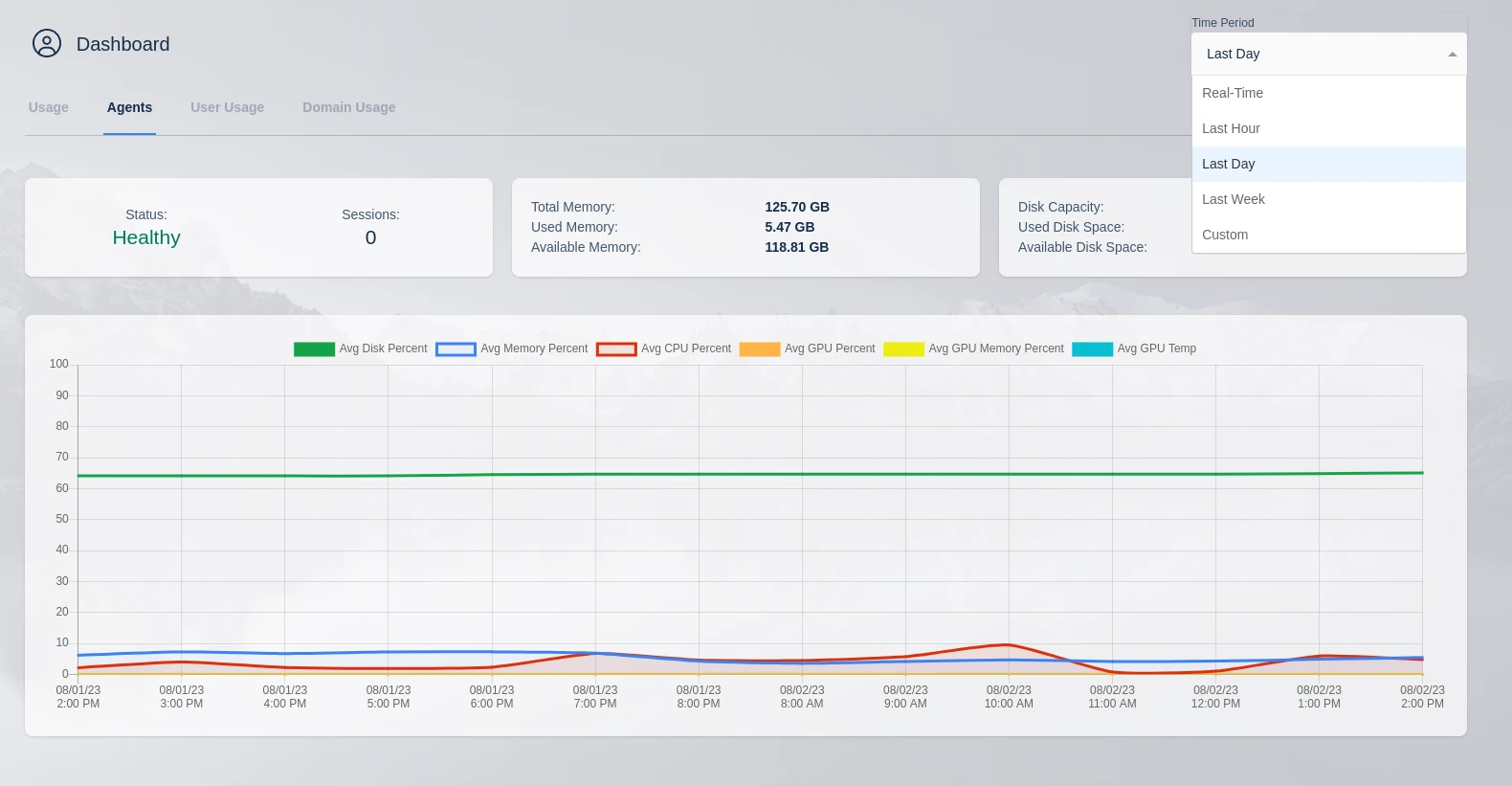
Time period options
| Time period | Window | Automatic refresh |
|---|---|---|
| Default | The last day of data. | None. |
| Real-Time | The last hour of data. | Refreshes every five minutes. Real-Time is the only time period with automatic refresh enabled. |
| Custom | A specific time frame selected in the custom time menu. | A configurable auto-refresh interval set in the same menu. |
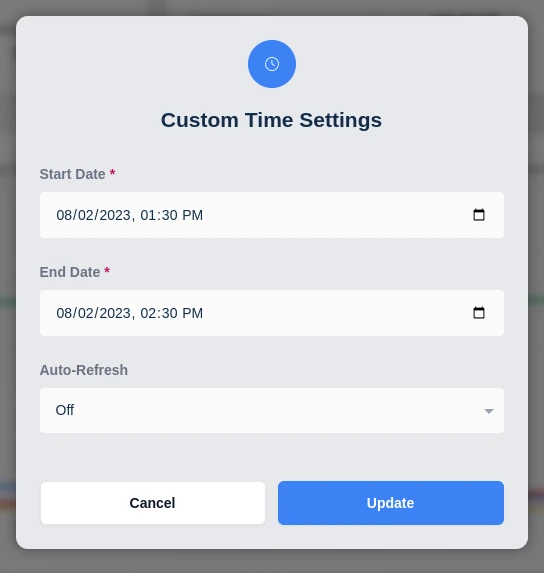
Logging dashboard
The logging dashboard displays logs collected from the entire application. Logs can be searched and split by process or by host.
The basic log options control which logs are returned.
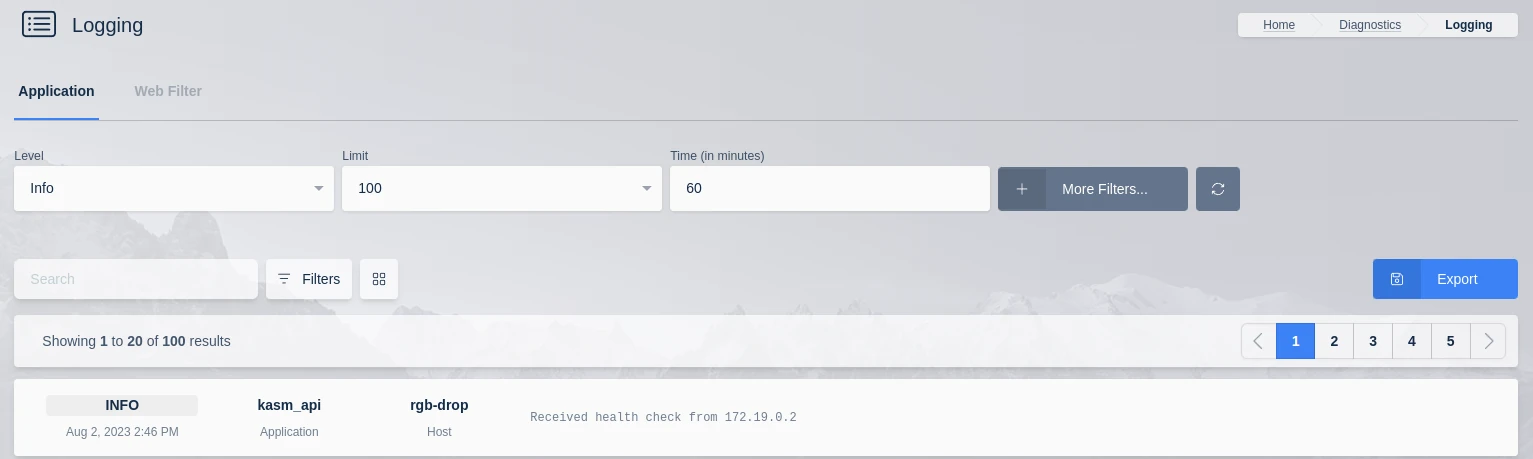
Basic log filter fields
| Field | Meaning | Example |
|---|---|---|
| Level | The minimum logging level returned. | INFO |
| Limit | The maximum number of log entries returned. | 100 |
| Time | The lookback window, measured in minutes from the current time. | 60 |
The More filters option displays the advanced log filters. The advanced filters set the time selection by custom start and end dates and narrow results by additional attributes.
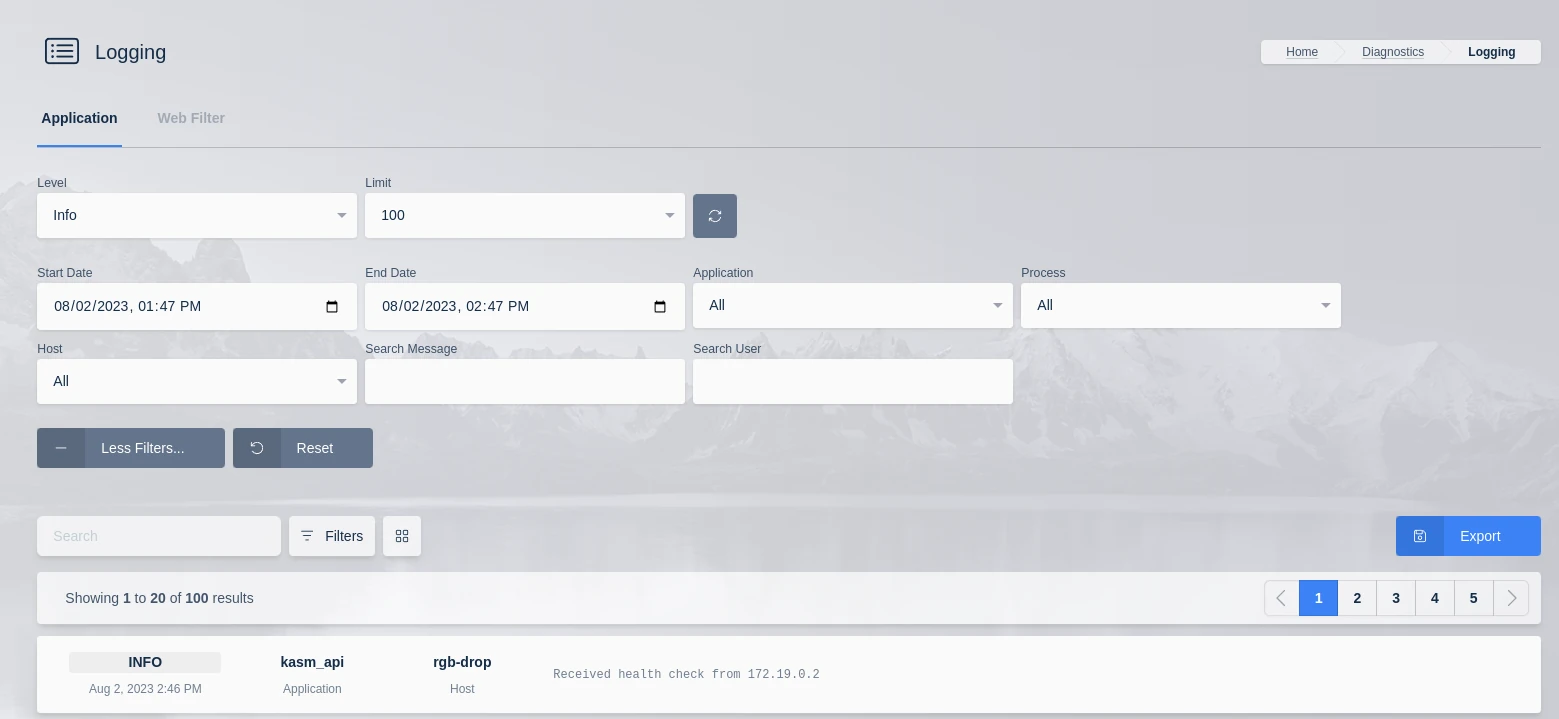
Advanced log filter fields
| Field | Meaning | Example |
|---|---|---|
| Start and end date | A custom time range bounded by explicit start and end timestamps. | A two-hour window during an incident. |
| Application | The application that produced the log entry. | api |
| Process | The process that produced the log entry. | manager |
| Host | The host that produced the log entry. | A specific Agent hostname. |
| Username | The user associated with the log entry. | user@example.com |
| Message | A free-text search against the log message. | destroyed returns logs for destroyed sessions. |
Export
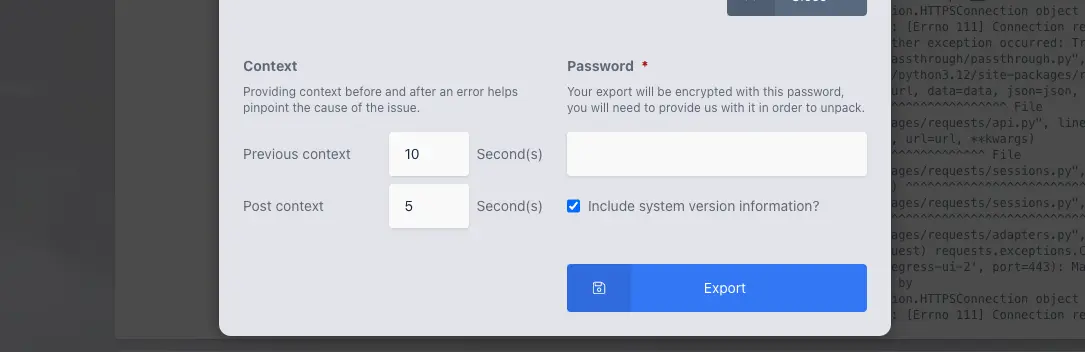
Selecting a single log entry exposes additional options, including an Export action. Export packages context for the selected entry into an AES256-encrypted ZIP archive protected by an administrator-supplied password. The same password is required to extract the archive.
Export artifacts
The archive contains up to three files.
| File | Contents | Condition |
|---|---|---|
export.json | The selected log entry, the chosen options, and the username. | Always included. |
context.json | All log entries in the chosen time frame, including the selected entry. | Always included. |
system_info.json | System information for the selected entry. | Included only when the corresponding option is selected during export. |
The archive uses AES256 encryption. Older built-in operating system extractors on Windows and macOS may not support AES256 ZIP files, in which case a utility such as 7-Zip is required to extract the contents. Verify support against the current operating system version.
File-based logs
Each role service emits a set of enriched JSON-formatted logs that can be ingested into a SIEM solution. The following table lists each log file and its source.
| Log path | Source | Purpose |
|---|---|---|
/opt/kasm/current/log/agent_json.log | Agent service | Workspace and container lifecycle events on the Agent. |
/opt/kasm/current/log/api_server_json.log | API service | API server requests and application events. |
/opt/kasm/current/log/manager_api_server_json.log | Manager service | Manager API server requests and orchestration events. |
/opt/kasm/current/log/web_filter_access_json.log | Web filter | Web filter access decisions. |
/opt/kasm/current/log/share_json.log | Share service | Session sharing events. |
/opt/kasm/current/log/nginx/access_json.log | Web server (nginx) | HTTP access requests to the web server. |
Metrics
Important application log events include a metric_name attribute. Each value identifies an event useful for visualization and analysis.
| Metric name | Event |
|---|---|
provision.create | A workspace provisioning operation begins. |
provision.destroy | A workspace provisioning operation is torn down. |
provision.cast.create | A Cast provisioning operation begins. |
account.login.successful | A user authenticates successfully. |
account.login.failed_invalid_password | A login attempt fails because the password is invalid. |
account.login.failed_ldap_error | A login attempt fails because of an LDAP error. |
scaling.status.resources | AutoScale reports current resource status. |
scaling.provider.aws.status | AutoScale reports AWS provider status. |
Many metric logs contain additional data useful for analysis. Administrators can inspect the logs for further detail.
Common attributes
Where applicable, the application logs emit additional attributes that provide context for analysis.
| Attribute | Meaning |
|---|---|
message | The log message text. |
levelname | The logging level of the entry. |
request_ip | The source IP address of the request. |
user_agent | The user agent string of the request. |
server_id | The Agent identifier. |
kasm_user_id | The unique identifier of the user. |
kasm_user_name | The username of the user. |
kasm_image_id | The unique identifier of the workspace image. |
kasm_image_name | The internal name of the workspace image. |
kasm_image_friendly_name | The display name of the workspace image. |
kasm_id | The unique identifier of the Kasm session. |