Run Kasm Workspaces behind Organizr with an iframe tab
Overview
Kasm Workspaces can run behind Organizr, which may require configuration during installation. This guide installs Kasm on a separate port or server name and adds it to Organizr as an iframe tab.
Prerequisites
- A working Organizr installation.
- A Kasm Workspaces deployment, or the ability to install one as part of this guide.
Solution approach
This guide progresses through the following phases:
- Install Kasm on a separate port or server name.
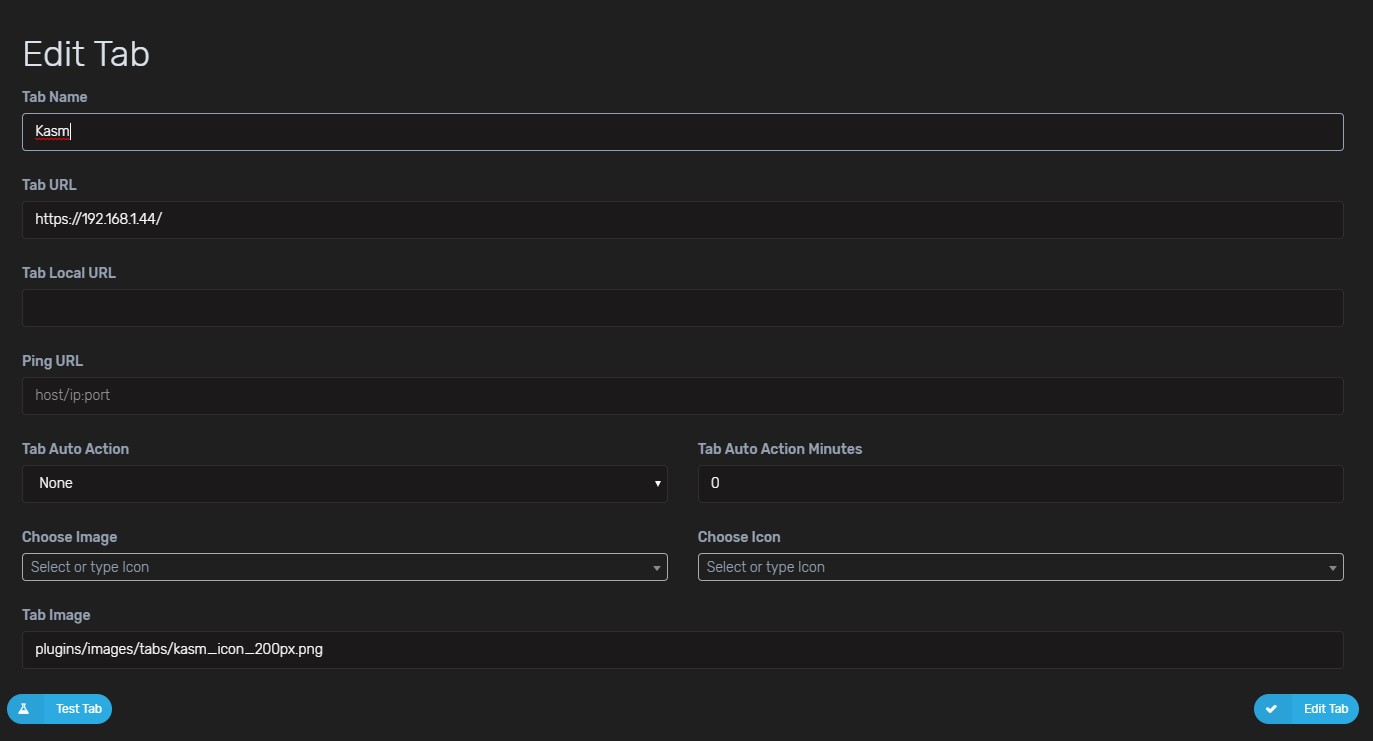
- Add the Kasm tab in Organizr.
Detailed steps
Install Kasm on a separate port or server name
When Organizr runs on port 443, install Kasm on a separate port using the reverse proxy guide. That guide also explains how to run Kasm behind a reverse proxy, which is useful when Kasm access needs a separate server name, such as kasm.server.com.
Add the Kasm tab in Organizr
Add the Kasm tab as an iframe in Organizr. The tab can work even when the test tab button returns false. Adding the URL of the Kasm deployment is enough, and no other changes are needed.