Assign users to specific servers in Kasm Workspaces pools
Overview
Kasm Workspaces can manage persistent servers that one or more specific users access as a dedicated resource. The user-server assignment feature applies to servers in a server pool that has assignment enabled. A user can be assigned to any number of servers, and a server can have any number of users assigned to it. For a Workspace that targets a pool with assignment enabled, a user can create a session only when they have one or more assigned servers in the pool. This guide enables assignment on a pool and makes user-server assignments.
Prerequisites
- A working Kasm Workspaces deployment with administrator access.
- A server pool, or the ability to create one as part of this guide.
- The pool must not have an attached AutoScale configuration, because assignment cannot be enabled for such pools.
Solution approach
This guide progresses through the following phases:
- Enable assignment on a server pool.
- Make user-server assignments.
Detailed steps
Enable assignment on a server pool
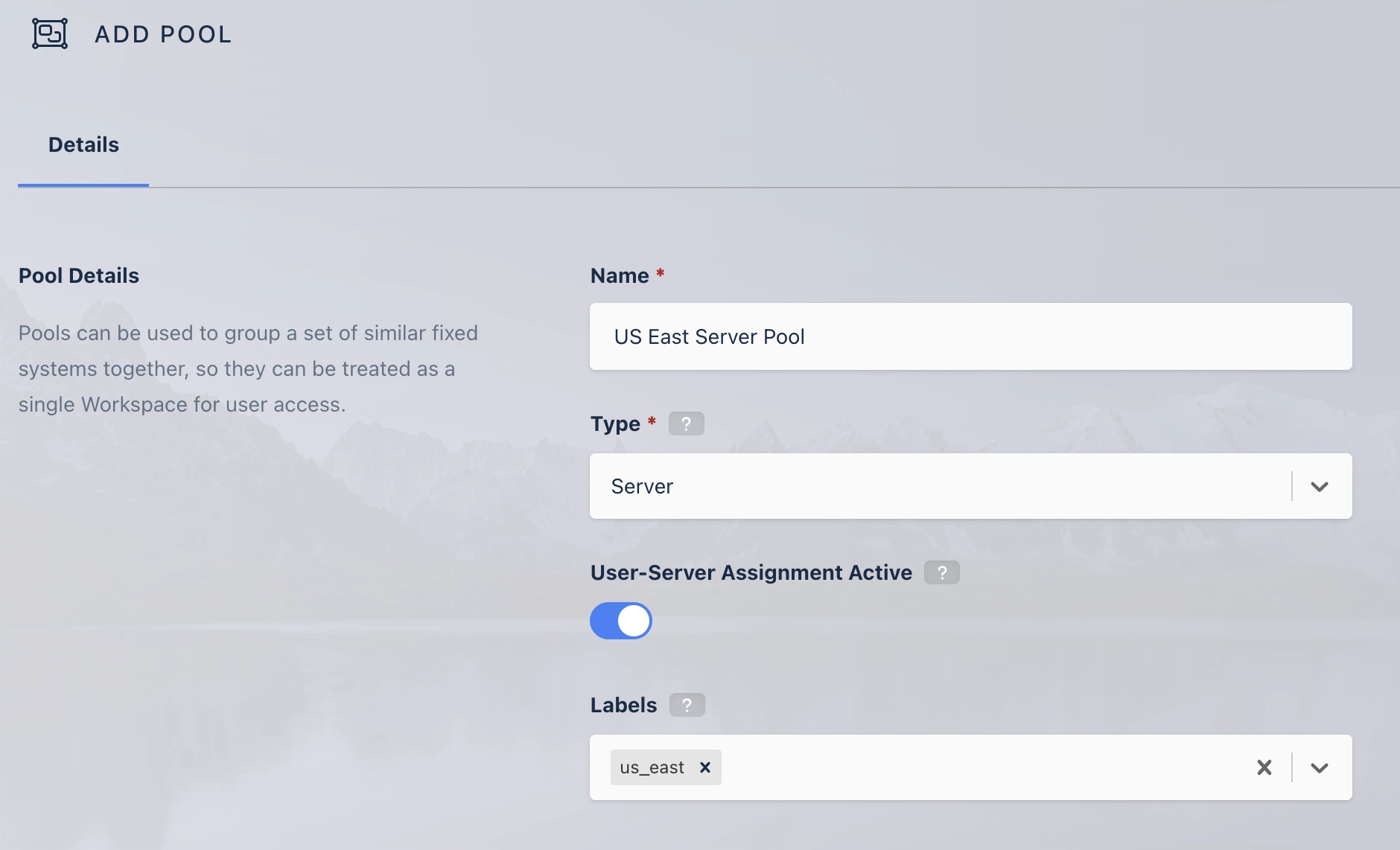
Specify user-server assignment during server pool creation.
You can also change the setting on the server pool edit page.
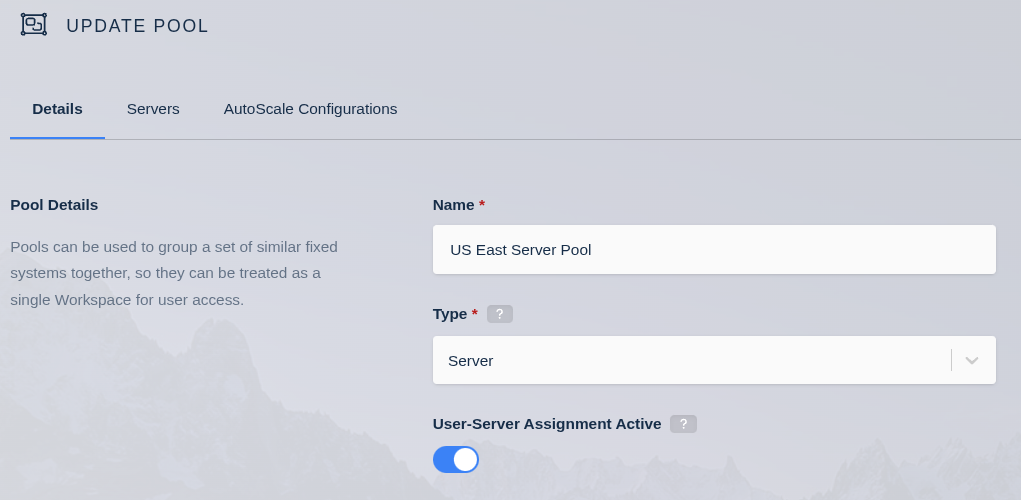
- Disabling assignment for a pool does not remove existing user-server assignments. They remain in the system and apply again if the setting is re-enabled. While the setting is off, all servers in the pool are available to all users with access, regardless of previous assignment.
- User-server assignment cannot be enabled for pools that have attached AutoScale configurations.
Make user-server assignments
User-server assignment is available from the user update, server update, and server creation pages.
From the user update page
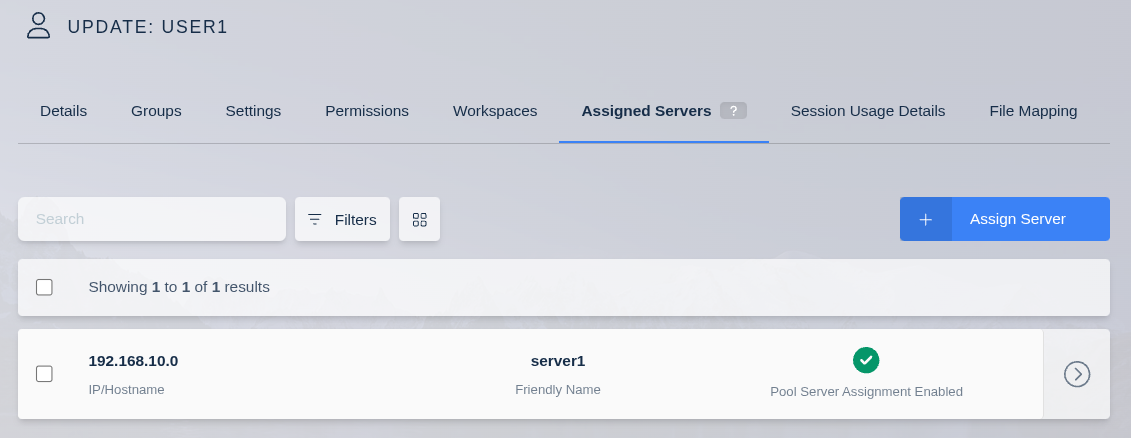
The Assigned Servers tab in the user update view shows an editable list of all servers assigned to the user. Each row indicates whether the server is part of a pool with assignment enabled. Only servers in pools with assignment enabled can be assigned from this page.
From the server update page
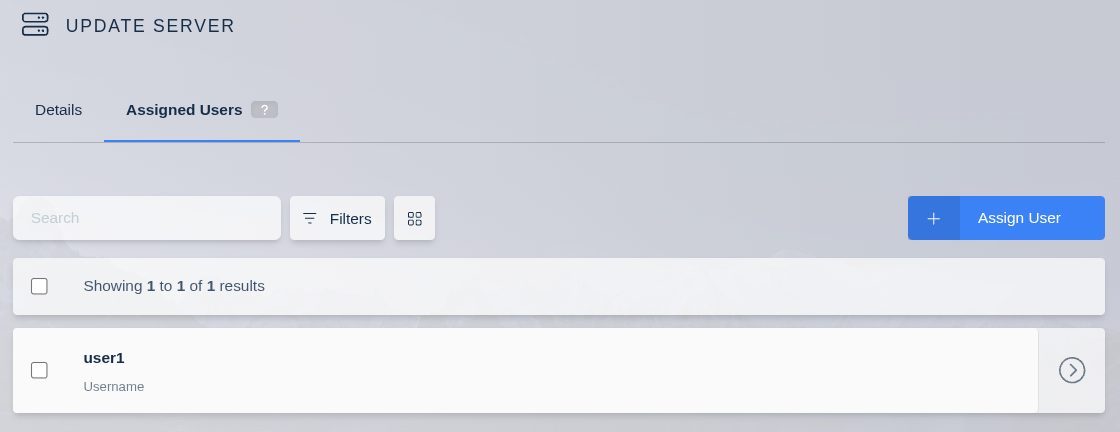
The Assigned Users tab in the server update view shows an editable list of all users assigned to the server. This tab appears only when the server is part of a pool with assignment enabled.
From the server creation page
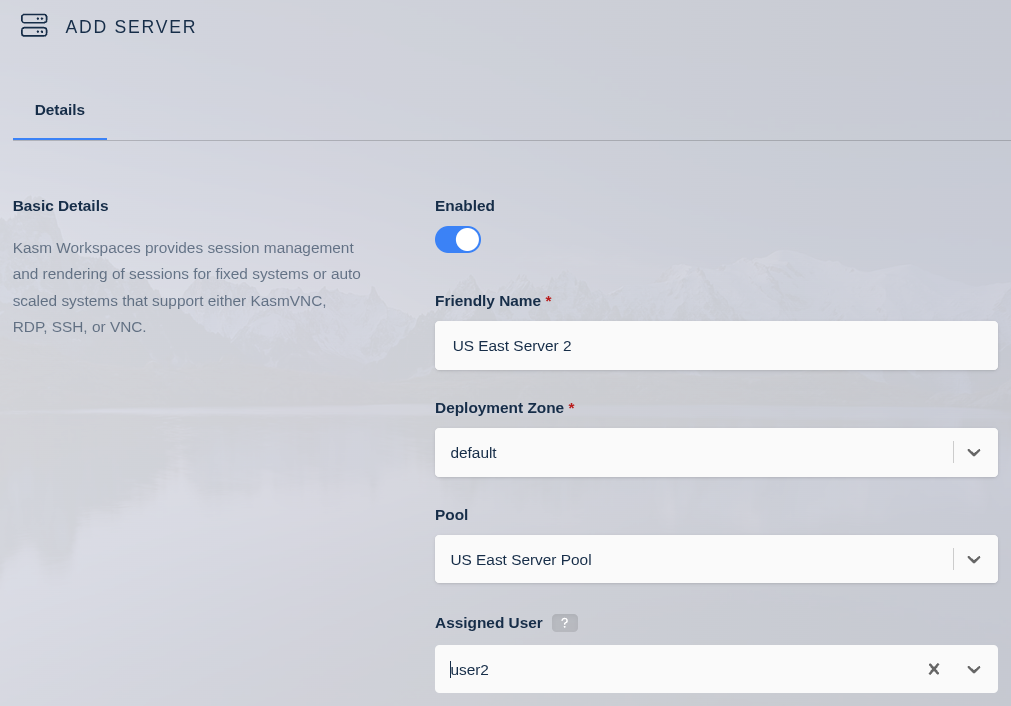
When you select a pool that supports user assignment on the server creation page, a field appears that assigns a user to the new server. This assignment is optional.
Common troubleshooting steps
- The assignment tabs do not appear. Confirm that the pool has assignment enabled and that the server is part of that pool.
- A user cannot start a session. For a Workspace that targets a pool with assignment enabled, confirm that the user has at least one assigned server in the pool.
- Assignment cannot be enabled for a pool. Confirm that the pool has no attached AutoScale configuration.