Applying KasmVNC DLP policies
Overview
KasmVNC data loss prevention (DLP) policies control how visual data leaves a workspace session. This guide configures clipboard and keyboard rate limits, watermarks, and visible regions in the KasmVNC configuration file, then applies that configuration to sessions with File Mapping. Security teams use these policies to deter screen capture, attribute leaked screenshots to a user, and restrict the area of the display that accepts input.
Prerequisites
- A working Kasm Workspaces deployment with administrator access.
- Familiarity with the File Mapping feature.
- The
expose_user_environment_varsgroup setting enabled if a text watermark references the Kasm Workspaces username.
Solution approach
This guide progresses through the following phases:
- Build a KasmVNC DLP configuration.
- Apply the configuration to sessions with File Mapping.
- Validate the DLP policy in a session.
Detailed steps
Build a KasmVNC DLP configuration
The KasmVNC configuration file at /etc/kasmvnc/kasmvnc.yaml exposes many options, including DLP settings. For a full reference of the KasmVNC YAML configuration, see the KasmVNC configuration reference.
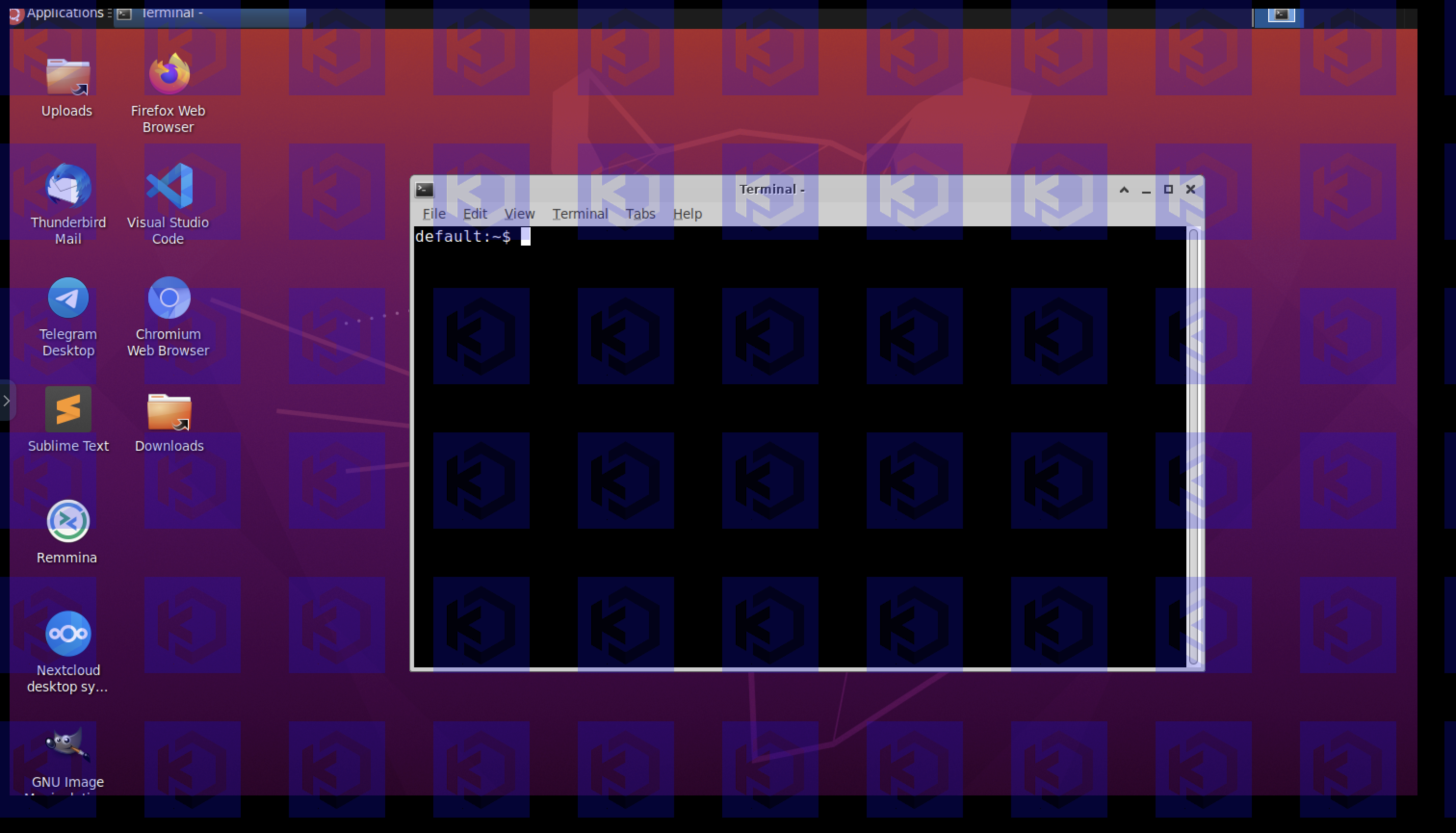
A custom configuration file does not need to specify default settings. Omitting defaults keeps custom configurations small. The following example enables an image-based watermark and a visible region that blocks clicks in the concealed area of the screen.
network:
  ssl:
    pem_certificate: ${HOME}/.vnc/self.pem
    pem_key: ${HOME}/.vnc/self.pem
  udp:
    public_ip: 127.0.0.1
data_loss_prevention:
  visible_region:
    top: 10
    left: 10
    right: -40
    bottom: -40
    concealed_region:
      allow_click_down: false
      allow_click_release: false
  watermark:
    image: /etc/kasmvnc/kasm.png
    tint: 20,20,255,60
    repeat_spacing: 50
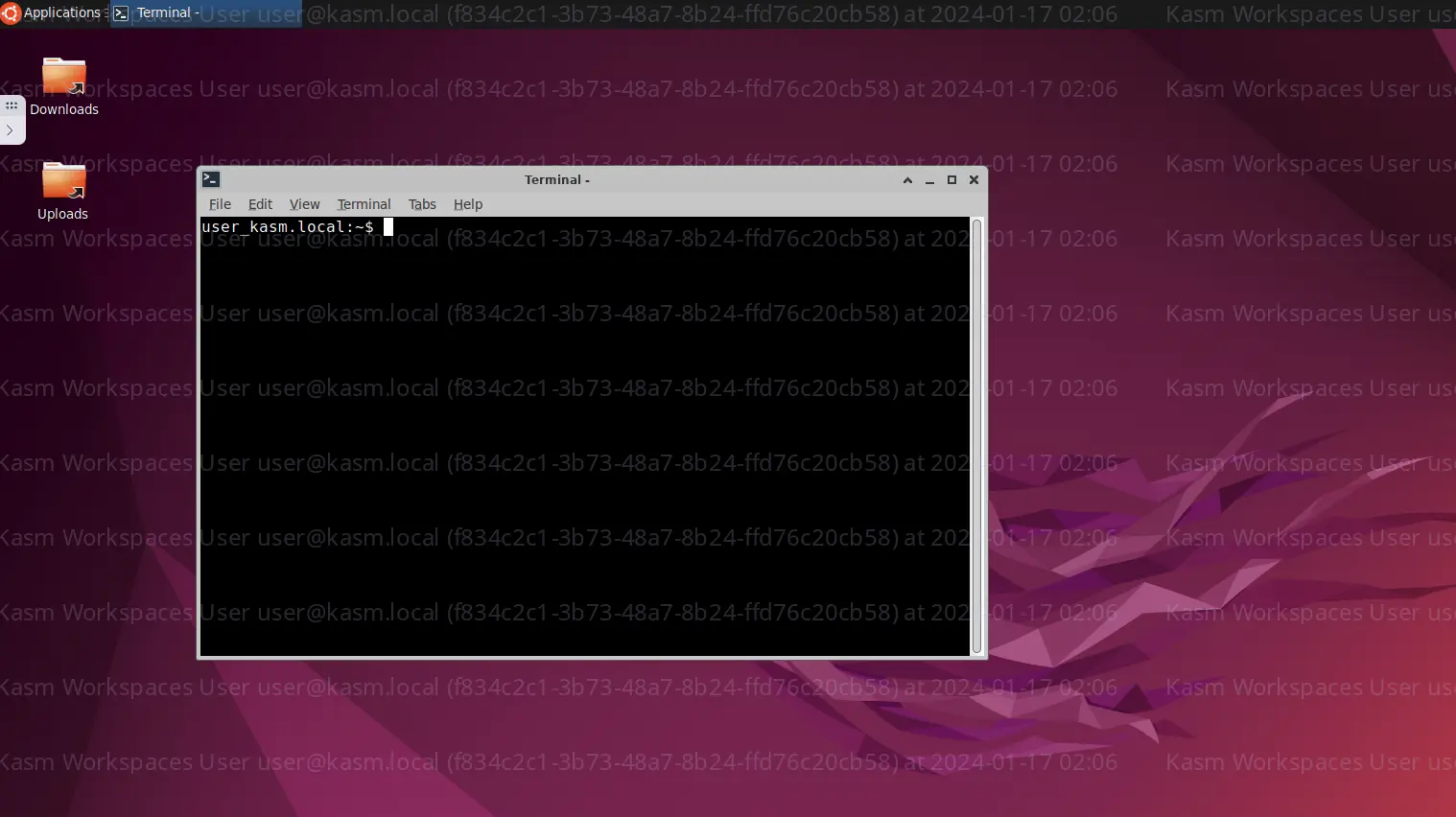
The next example defines a watermark with repeating text. The text includes the Kasm Workspaces username, user ID, and a timestamp. The text repeats across the entire display with 50 pixels of padding. The expose_user_environment_vars group setting must be enabled for the Kasm Workspaces username to be available.
network:
  ssl:
   pem_certificate: ${HOME}/.vnc/self.pem
   pem_key: ${HOME}/.vnc/self.pem
  udp:
    public_ip: 127.0.0.1
data_loss_prevention:
  watermark:
    repeat_spacing: 50
    tint: 200,200,235,60
    text:
      template: "Kasm Workspaces User ${KASM_USER} (${KASM_ID}) at %F %H:%M"
      font: auto
      font_size: 24
      timezone_name: Asia/Taipei
RedHat, AlmaLinux, Rocky Linux, Fedora, and Oracle operating systems may require an empty line at the end of the YAML configuration file, as shown in the example above.
Apply the configuration to sessions with File Mapping
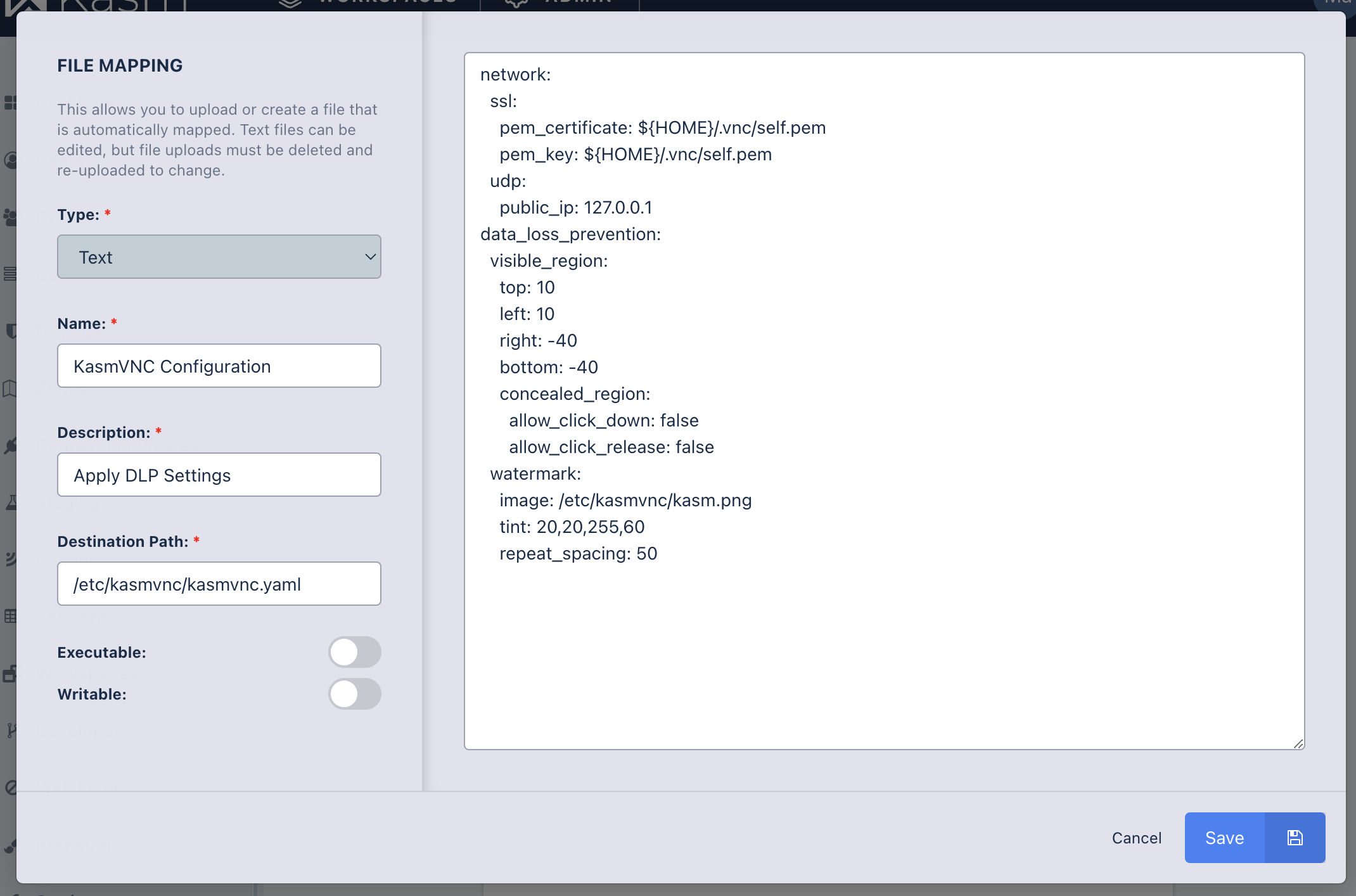
To apply a custom KasmVNC configuration to workspace sessions, use the File Mapping feature. File Mapping edits files directly in the Kasm Workspaces Admin UI and maps them into user sessions. Define File Mappings on a workspace, group, or user to control which KasmVNC configuration applies for each use case.
Map the custom KasmVNC YAML configuration file to the location /etc/kasmvnc/kasmvnc.yaml. The following example shows a File Mapping definition for a KasmVNC configuration that enforces a visible region within the screen and a watermark.
The network portion of the configuration shown is required. Those settings override KasmVNC defaults that are required for it to operate within Kasm Workspaces.
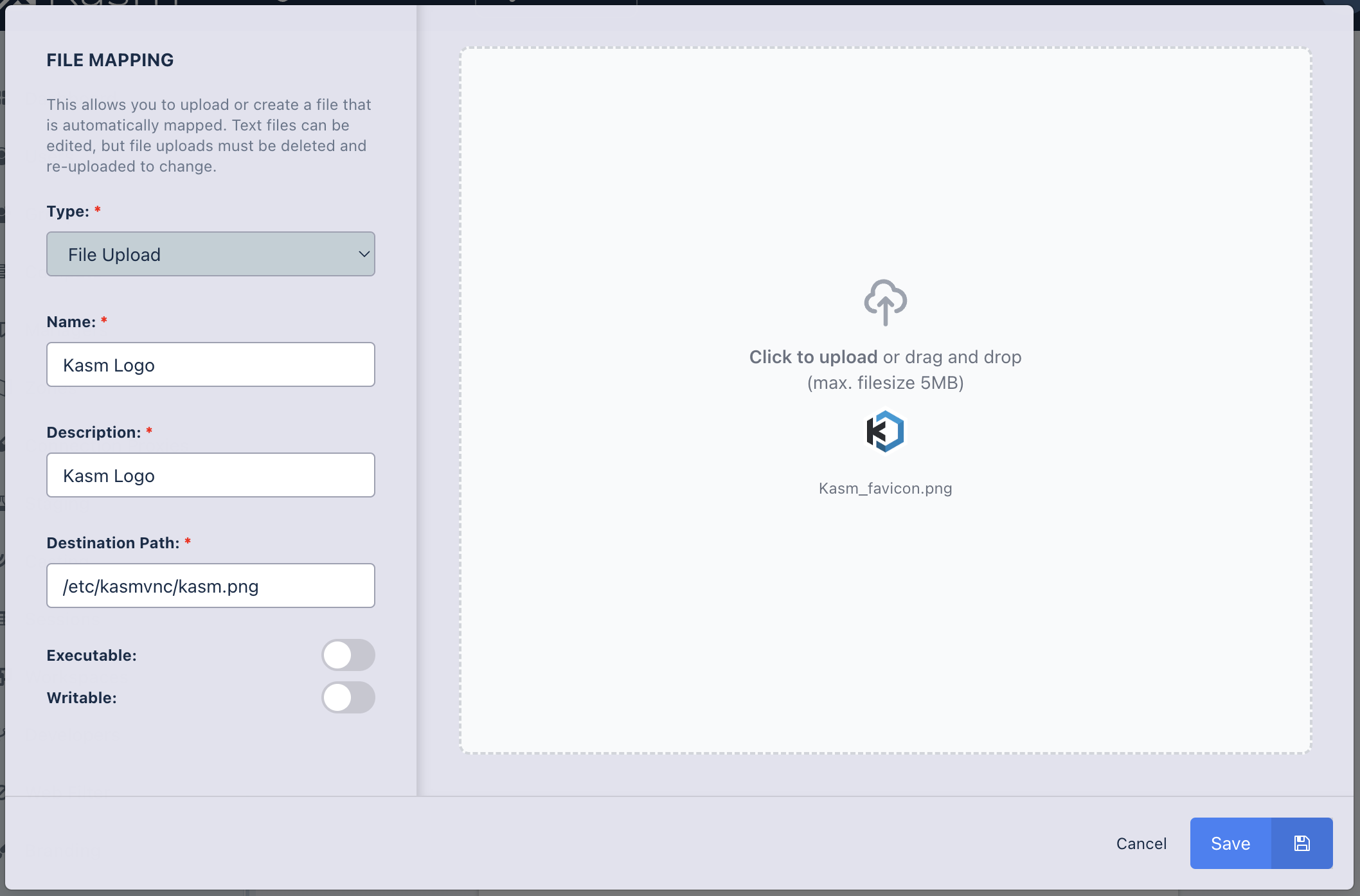
Define a second File Mapping for the image used as the watermark. Per the YAML configuration above, map the image to /etc/kasmvnc/kasm.png. This path may change, as long as the value at data_loss_prevention.watermark.image in the YAML configuration matches the location defined in the File Mapping.
Validate the DLP policy in a session
Launch a workspace session and confirm that the DLP policy applies. The following screenshot shows the policy in action. The defined visible region starts 10 pixels from the top and 10 pixels from the left, and ends 40 pixels from the right and 40 pixels from the bottom. The watermark repeats across the entire screen with 50 pixels between each image.
Common troubleshooting steps
- The watermark does not appear. Confirm the watermark image File Mapping points to the same path set at
data_loss_prevention.watermark.imagein the YAML configuration. - A text watermark shows no username. Enable the
expose_user_environment_varsgroup setting so the${KASM_USER}and${KASM_ID}values resolve. - The session fails to start on RedHat-based systems. Add an empty line at the end of the YAML configuration file for RedHat, AlmaLinux, Rocky Linux, Fedora, and Oracle operating systems.
- The DLP policy does not apply. Verify that the configuration File Mapping targets
/etc/kasmvnc/kasmvnc.yamland includes the required network section.